2026 Best Dashboard Instrument Buying Guide
Choosing the right Dashboard Instrument is not just a matter of matching a dial to a dashboard. The instrument must fit the vehicle, read the correct signals, and remain legible in changing light. OICA’s 2024 production data reports approximately 92.5 million motor vehicles produced worldwide that year. That scale reflects a broad range of vehicle designs, electrical systems, and driver interfaces—not one universal specification. A cluster suited to a modern electronic system may not work with an older vehicle’s wiring or sensors. Fit matters.
This guide compares key buying factors: physical dimensions, signal compatibility, display type, power requirements, durability, and installation needs. NHTSA’s visual-manual driver-distraction guidance also makes interface design relevant: drivers should be able to read essential information without unnecessary visual or manual effort. For buyers, that means checking contrast, viewing angle, glare, and how clearly critical readings stand out. A bright workshop display can look different in direct afternoon sun. Readability matters.
There is no single “best” instrument for every vehicle or budget. Product claims can also be difficult to compare, especially when testing conditions differ. Check the manufacturer’s fitment information, wiring diagrams, warranty, and support before buying; confirm uncertain details with a qualified installer. This is a practical guide, not a substitute for vehicle-specific verification. A careful match can prevent avoidable installation problems, but the final choice still depends on the vehicle and how it is used.
What Dashboard Instruments Measure and How They Work
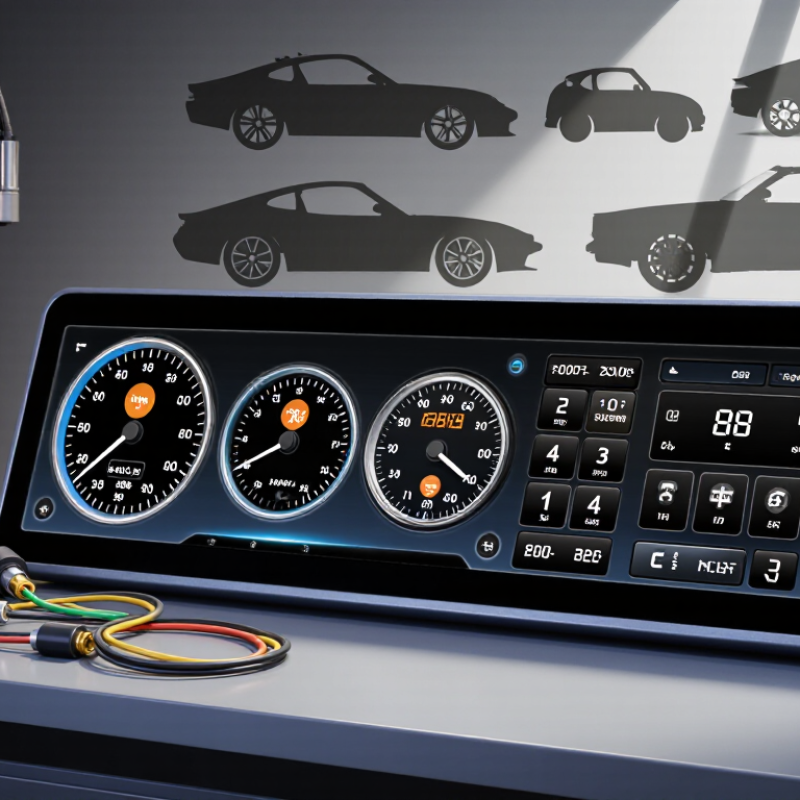
Dashboard instruments turn vehicle conditions into readings a driver can use. The speedometer estimates road speed from wheel-speed or transmission data, while the tachometer shows engine revolutions per minute. In many newer vehicles, sensors send electrical signals to a control unit, which displays the results. Older designs may use mechanical connections and moving needles. Readings are useful, but they are not laboratory measurements.
A fuel gauge usually tracks a float inside the tank. As the fuel level changes, the float alters an electrical signal, moving the needle or changing the digital display. Coolant-temperature gauges report information from a temperature sensor near the engine. Oil-pressure warnings work differently: many illuminate when pressure falls below a set threshold, rather than showing a precise pressure value. That distinction matters. A warning light calls for attention, not guesswork.
When choosing an instrument, check its measurement range, units, sensor compatibility, and installation requirements. A gauge may look clear on a workbench but be hard to read in direct sunlight or at night. Consider needle movement, display brightness, and whether the readings match the vehicle’s existing sensors. Small differences can be confusing. Calibration and sensor condition affect accuracy, and even a new gauge may report poorly if its sender is mismatched. I would not treat one number as the whole story; compare it with warning indicators and changes in how the vehicle behaves.
Types of Dashboard Instruments and Their Key Features
Dashboard instruments turn vehicle data into quick decisions. A speedometer shows road speed, while a tachometer tracks engine revolutions. Check that the scales use familiar units and remain readable in daylight and at night. Small markings can be hard to scan at a glance. That matters.
Fuel and coolant-temperature gauges help drivers notice changing conditions before they become urgent. Oil-pressure and battery-voltage gauges offer more specific information, but their readings depend on suitable sensors and correct installation.
Warning lights are useful for fast alerts; they do not replace a gauge when gradual changes matter. No gauge works alone.
Analog instruments often provide a clear, steady pointer, even in a simple layout. Digital displays can combine readings and allow flexible layouts, though menus may distract if essential information takes several steps to reach. Compare display brightness, viewing angle, measurement range, units, and sensor compatibility before choosing.
A large screen is not automatically better; it may crowd the driver’s view. One detail is easy to overlook: verify that the gauge’s range matches the vehicle and the intended sensor. A mismatch can make a polished display misleading. Calibration and clear instructions deserve attention, too.
Compatibility, Installation, and Calibration Considerations
Compatibility is more than matching a dashboard opening. Check the instrument’s voltage, signal type, sensor range, and measurement units against the vehicle’s specifications. A connector that looks right may carry different signals. Confirm the wiring diagram before ordering, and measure the available depth behind the panel. A few millimeters can matter when brackets or cables sit close to the dashboard.
Plan the installation around access and visibility. Photograph existing connections before removing anything, and label wires with small tags. Keep cables clear of moving controls and sharp metal edges. Follow the vehicle service instructions when disconnecting power; if the wiring is unfamiliar, ask a qualified technician. Test the instrument before securing the panel. It is easy to discover a loose connection after everything is back in place. Not ideal.
Calibration deserves equal attention. Let the instrument warm up as its instructions specify, then compare its reading with a suitable reference under steady conditions. For a temperature reading, avoid comparing a cold engine with a warmed reference. Record the initial reading and any adjustment, so later checks have a baseline. I would recheck after several drives, especially if readings seem slow or inconsistent. Dashboard lighting can also affect readability at night, so test brightness from the driver’s seat rather than judging it in a workshop. Even careful installation can leave small errors; note them instead of assuming the display is exact.
Care, Troubleshooting, and Long-Term Reliability
Dashboard instruments are measurement equipment, not decoration. Clean the lens with a soft, lightly damp cloth; never spray cleaner directly onto the display. Small habits matter. Avoid pressing hard on touch-sensitive surfaces, and keep phone mounts or loose objects away from warning lights. During a buying inspection, check each gauge with the ignition on, then confirm the display remains readable in bright daylight. Note flickering, delayed readings, or uneven backlighting.
When a warning appears, photograph it and record the driving conditions. Check the owner’s manual before resetting anything. A persistent warning deserves a diagnostic scan; replacing the instrument panel before checking the battery, fuses, and connections can waste money. J.D. Power’s 2024 U.S. Vehicle Dependability Study recorded 190 problems per 100 vehicles across all categories, with infotainment among the most troublesome areas. That figure is not specific to instrument clusters, but it shows why electronic displays deserve careful checks. S&P Global Mobility reported that the average U.S. vehicle age reached 12.6 years in 2024, making long-term serviceability important. I would not treat one brief flicker as proof of failure. Still, intermittent faults are easy to dismiss—and that can be a mistake. Keep inspection notes and repair records, especially after electrical work.
2026 Best Dashboard Instrument Buying Guide: Care, Troubleshooting, and Long-Term Reliability
A weak battery or charging-system issue can cause erratic dashboard readings. Use these approximate 12-volt system voltage checkpoints as a first troubleshooting reference.
A fully charged battery at rest is typically around 12.6 V; around 12.2 V suggests a substantially discharged battery. With the engine running, many charging systems read approximately 13.7–14.7 V. Values vary by vehicle, battery condition, temperature, and charging strategy; consult the vehicle service information before diagnosing or replacing instruments.